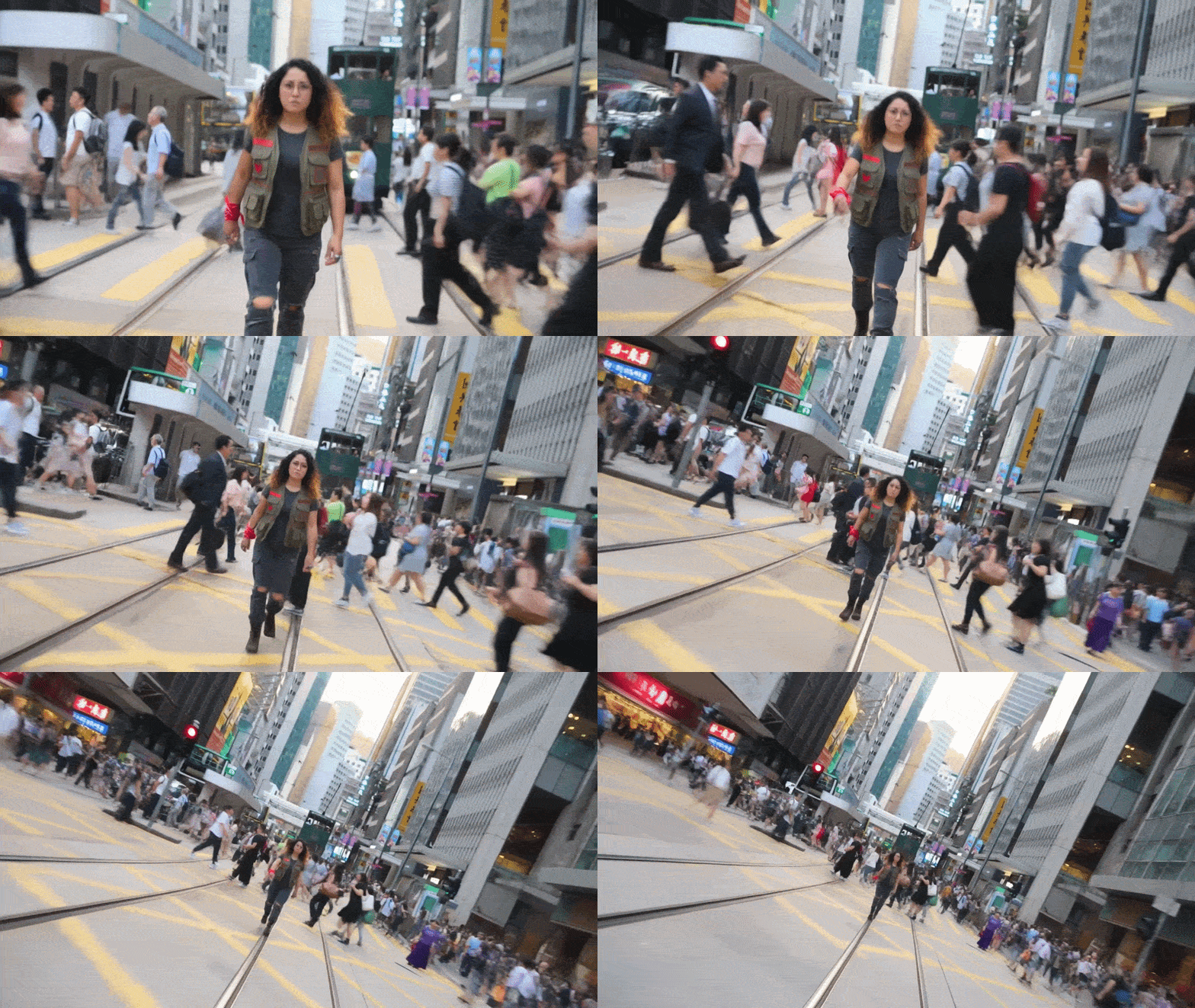
Upload Your Character
Start by uploading a hero image — this is your subject that A-CAM will composite into scenes and apply camera movements to. The quality of your input directly affects the output.
- Transparent PNG Best results with clean background removal
- Full Body Shot Head to toe visible in frame
- Neutral Lighting Flat studio lighting without harsh shadows
- White/Green BG Solid backgrounds for auto-removal
- Cluttered Backgrounds Props or scenes touching the subject
- Cropped Images Waist-up shots will float unnaturally
- Harsh Shadows Pre-lit subjects conflict with scene lighting
- Low Resolution Blurry images produce poor composites
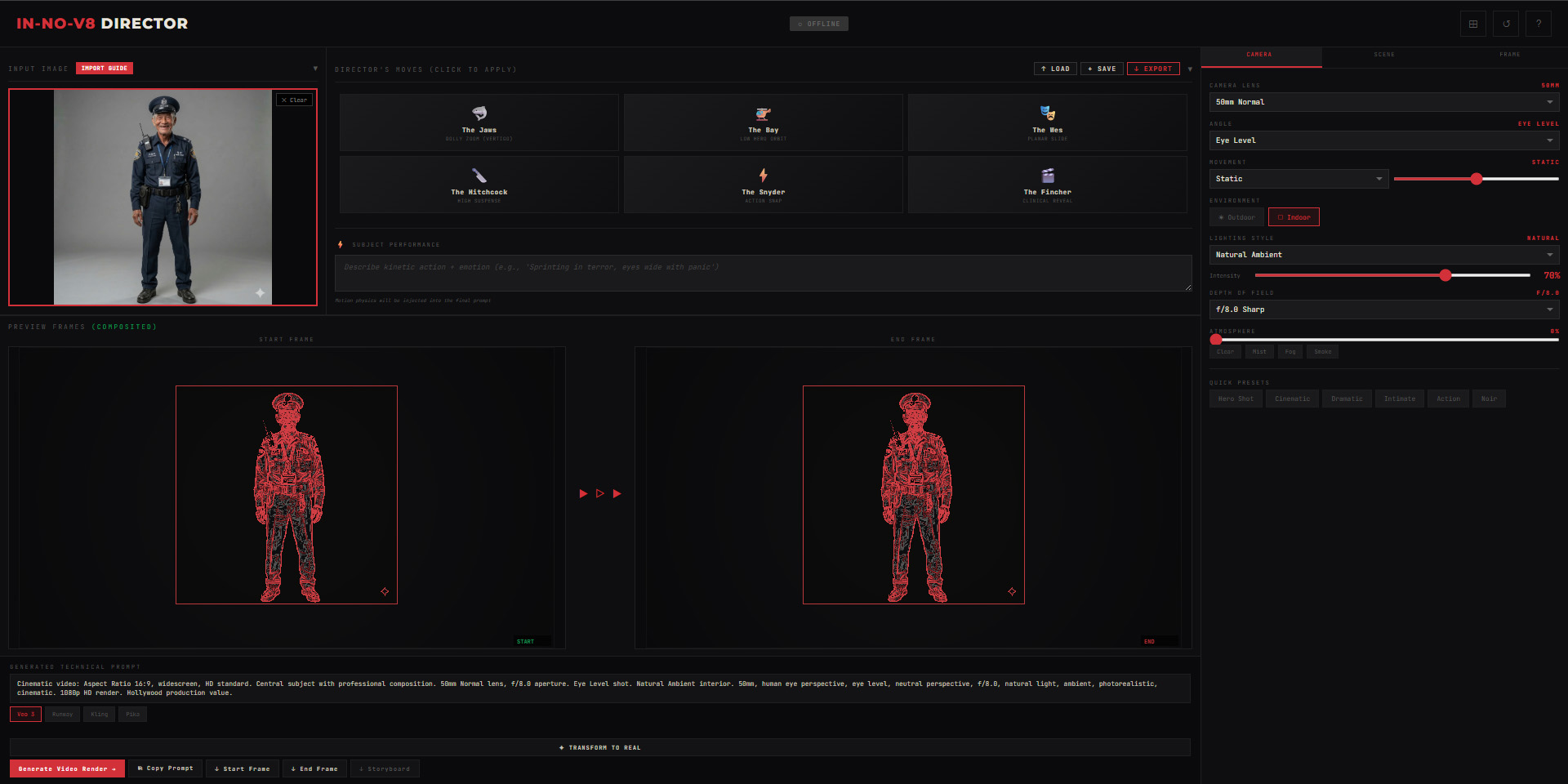
Add & Outpaint Background
Upload a location image or use the Imagine mode to generate one. Then use Analyze & Outpaint to extend the background — this creates extra canvas for camera movements like panning and Dutch tilts.
- Upload backgrounds at high resolution for better outpainting
- The outpaint extends 40% on each side automatically
- Wait for the red progress bar to complete before proceeding
- Click ↓ Background to download the plate for other tools
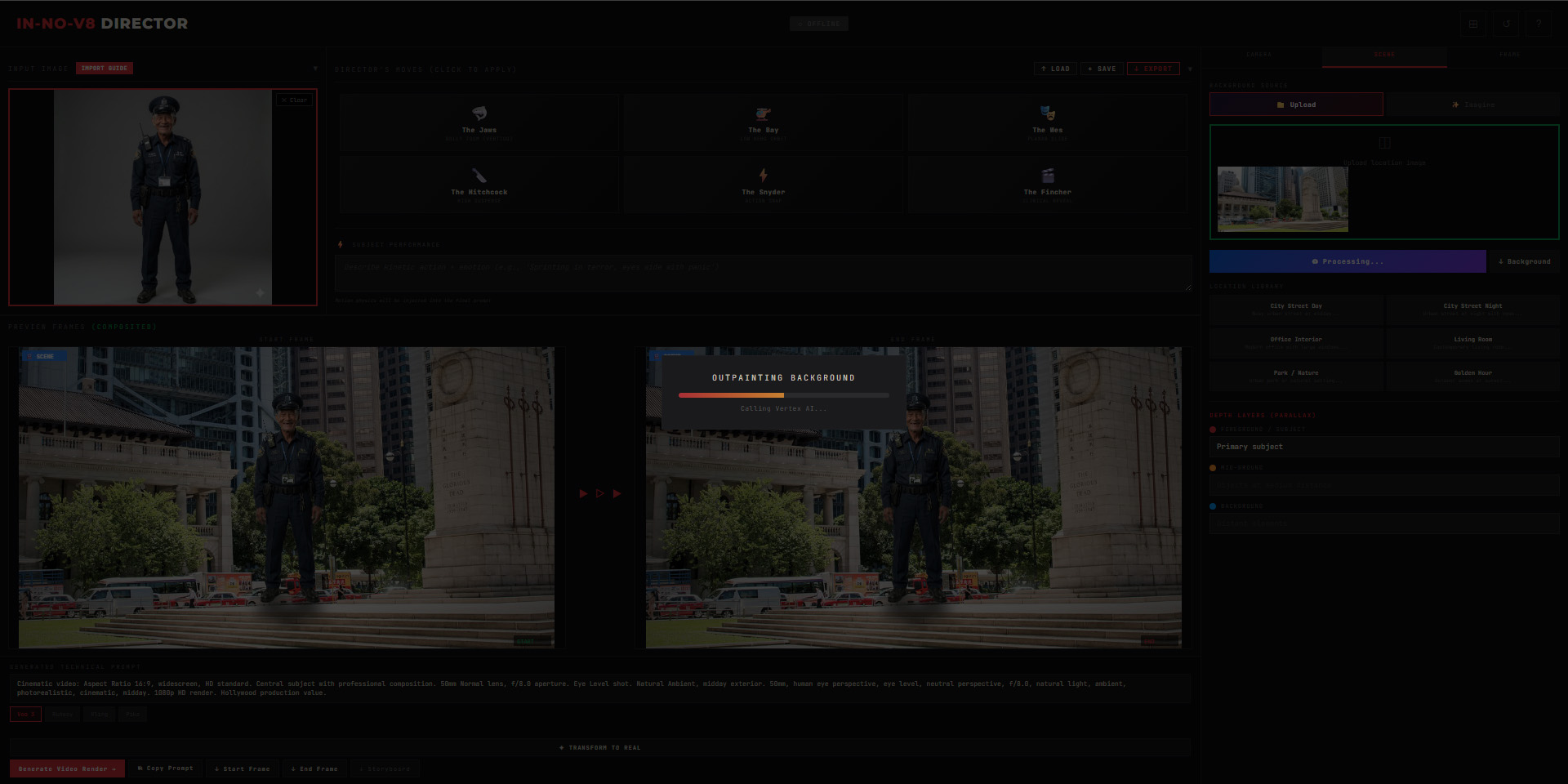
Position Your Character
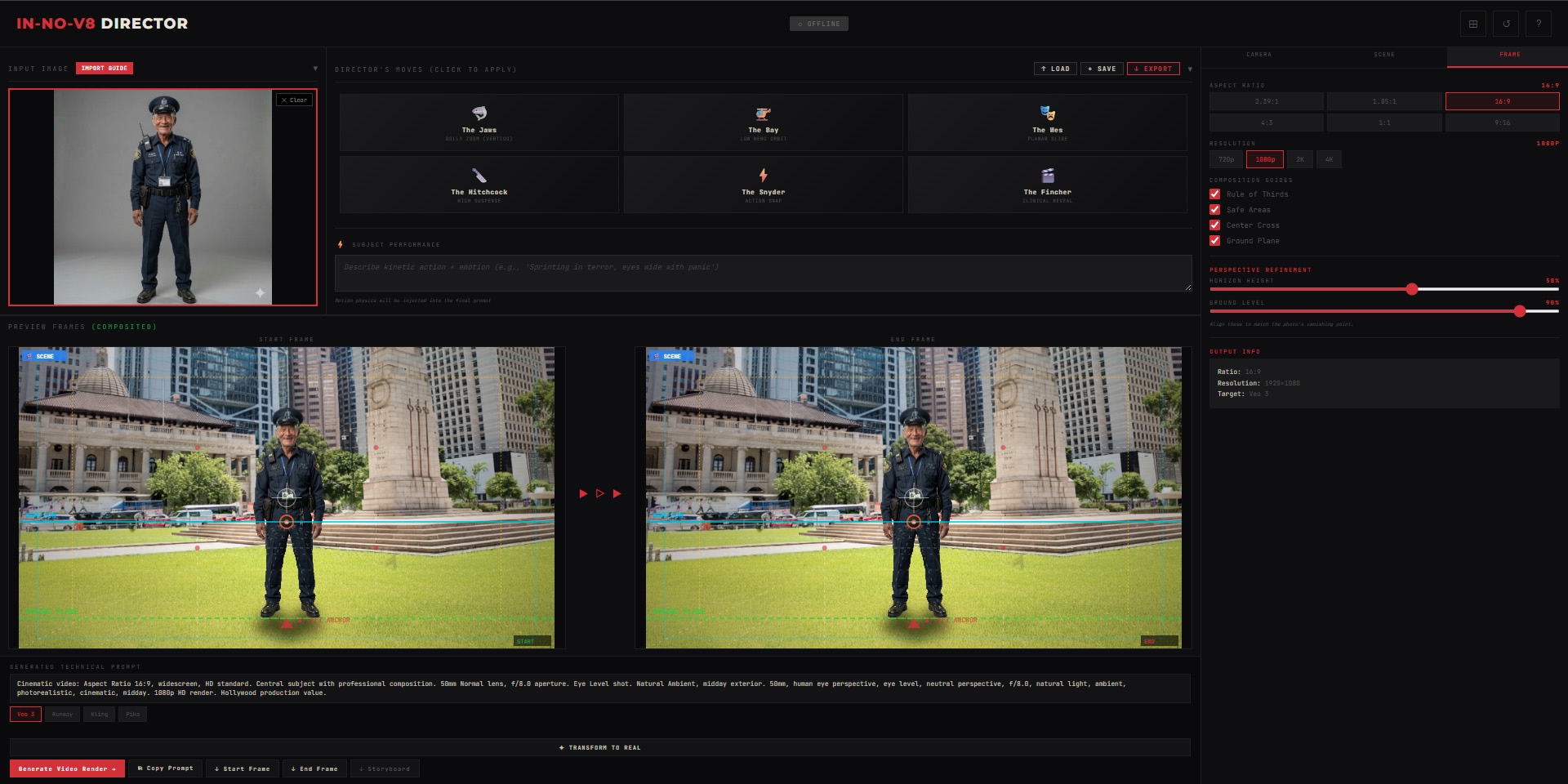
Switch to the Frame tab to set aspect ratio, resolution, and ground plane position. Use the Ground Level slider to align your character's feet with the scene's floor. Enable composition guides to check framing.
- Rule of Thirds — Classic grid for balanced framing
- Safe Areas — Broadcast-safe margins for TV/streaming
- Ground Plane — Visual line showing character footing
- Horizon Line — Reference for camera angle alignment
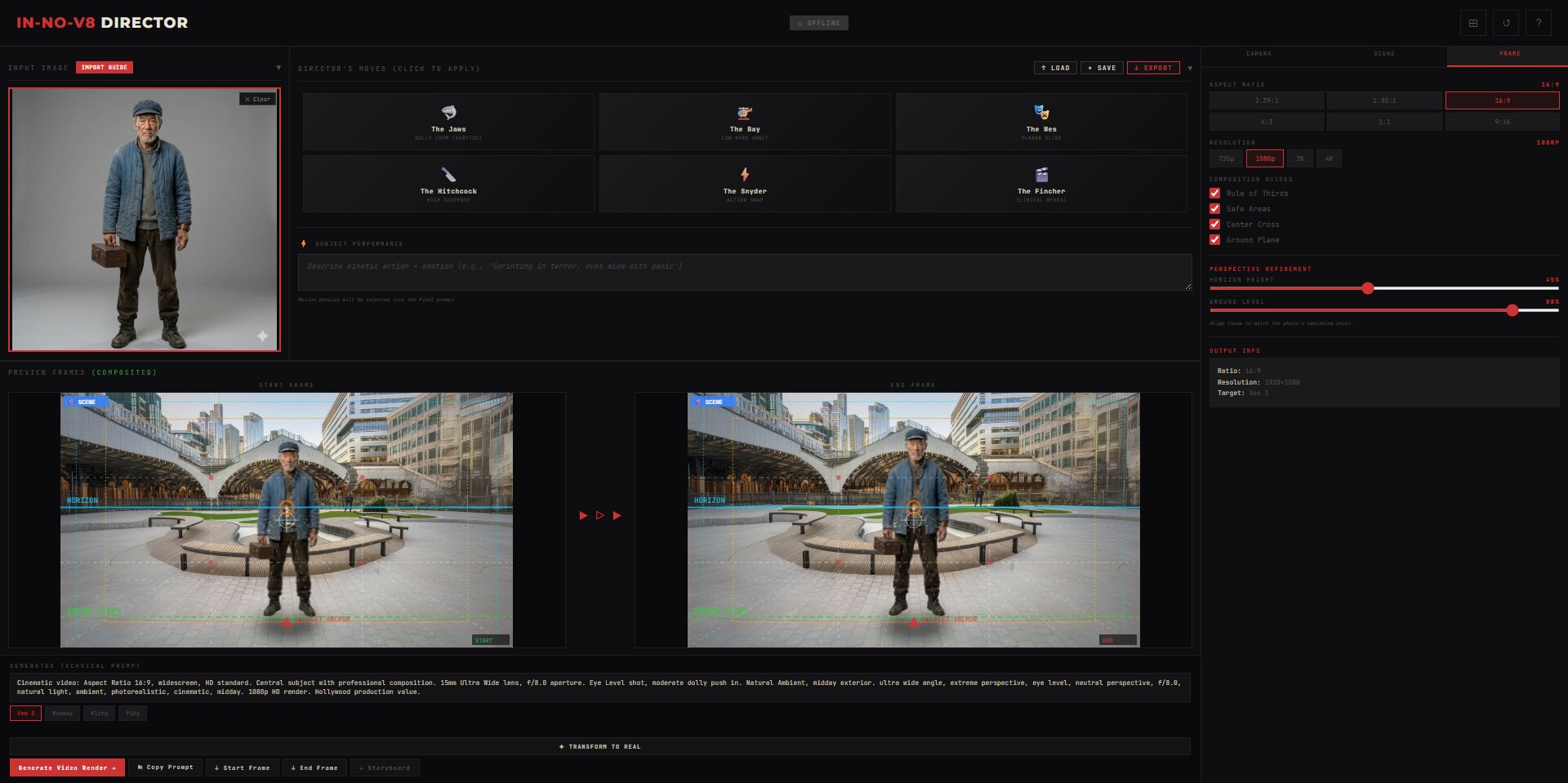
Set Camera & Movement
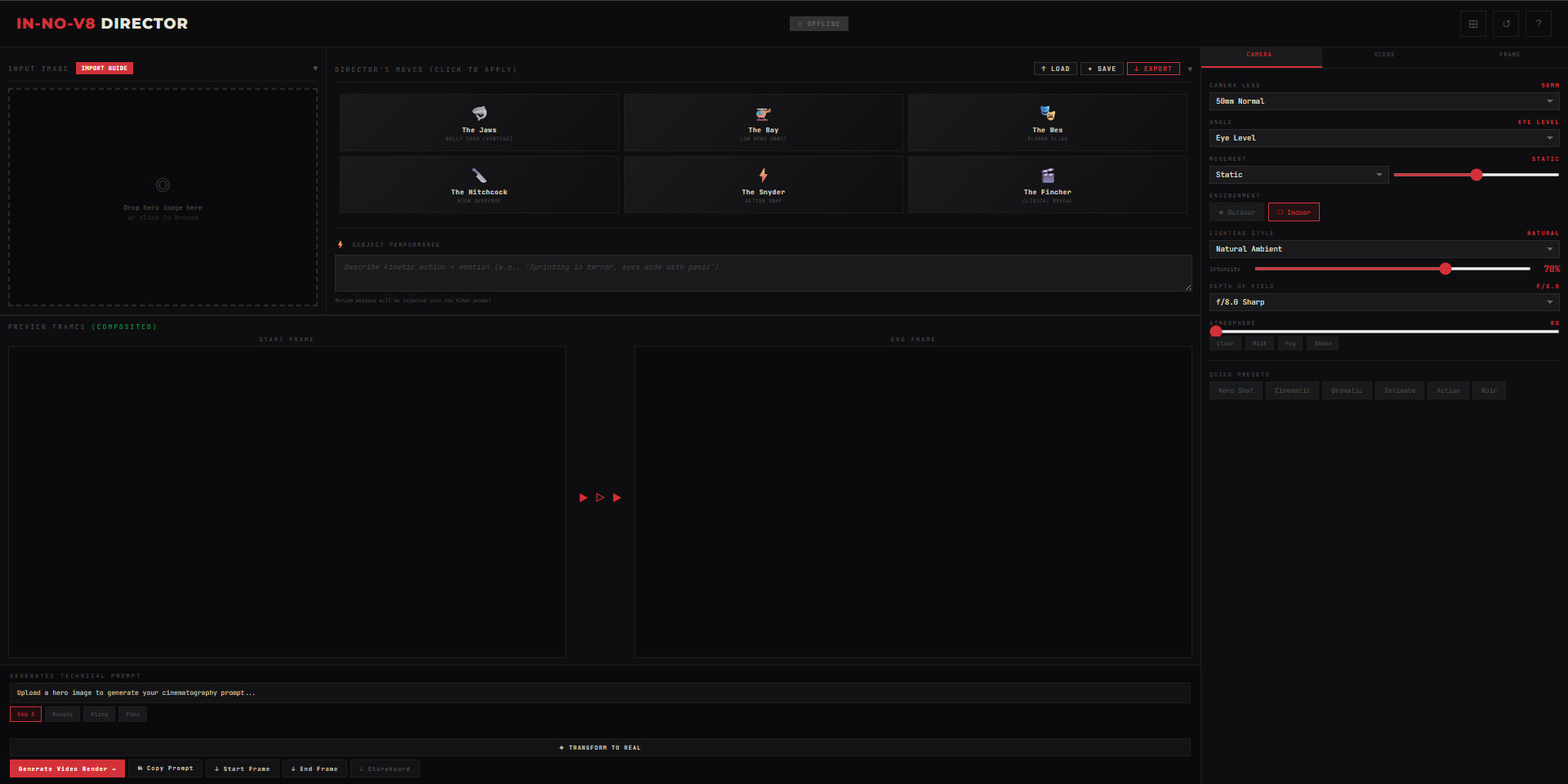
The Camera tab is where the magic happens. A-CAM simulates real cinematography equipment — from physical lens profiles to professional camera movements. Each setting affects both the visual preview and the generated prompt.
- 8mm Fisheye — Extreme barrel distortion, action cam / GoPro look
- 24mm Wide — Establishing shots, environmental context
- 35mm Standard — Natural perspective, most versatile
- 85mm Portrait — Shallow DOF, subject isolation
- 135mm Telephoto — Background compression, voyeuristic feel
- Anamorphic — Oval bokeh, horizontal lens flares, cinematic 2.39:1
Apply Director's Moves
One-click presets that replicate iconic cinematography techniques from legendary directors. Each preset automatically configures lens, angle, and movement — just click and render.
| Preset | Cinematic Effect | Settings |
|---|---|---|
| The Jaws | The "Vertigo" effect — subject stays fixed while background warps. Creates disorientation and sudden realization. | 35mm Standard → Dolly Zoom |
| The Bay | Low angle hero orbit — camera circles subject from below. Power, authority, action movie reveal. | 24mm Wide → Orbital Arc → Low Angle |
| The Wes | Flat planar tracking shot — camera slides perfectly laterally. Symmetry, whimsy, storybook aesthetic. | 35mm Standard → Tracking Shot → Eye Level |
| The Hitchcock | High angle suspense push — camera slowly advances from above. Voyeuristic tension, impending doom. | 24mm Wide → Dolly Push In → High Angle |
| The Snyder | Action snap zoom — fast optical zoom with shallow DOF. Impact, speed, comic book energy. | 50mm Normal → Zoom In → Eye Level |
| The Fincher | Clinical reveal tilt — controlled vertical movement, methodical reveal. Precision, control, procedural. | 35mm Standard → Tilt Up/Down → Eye Level |
Preview & Export
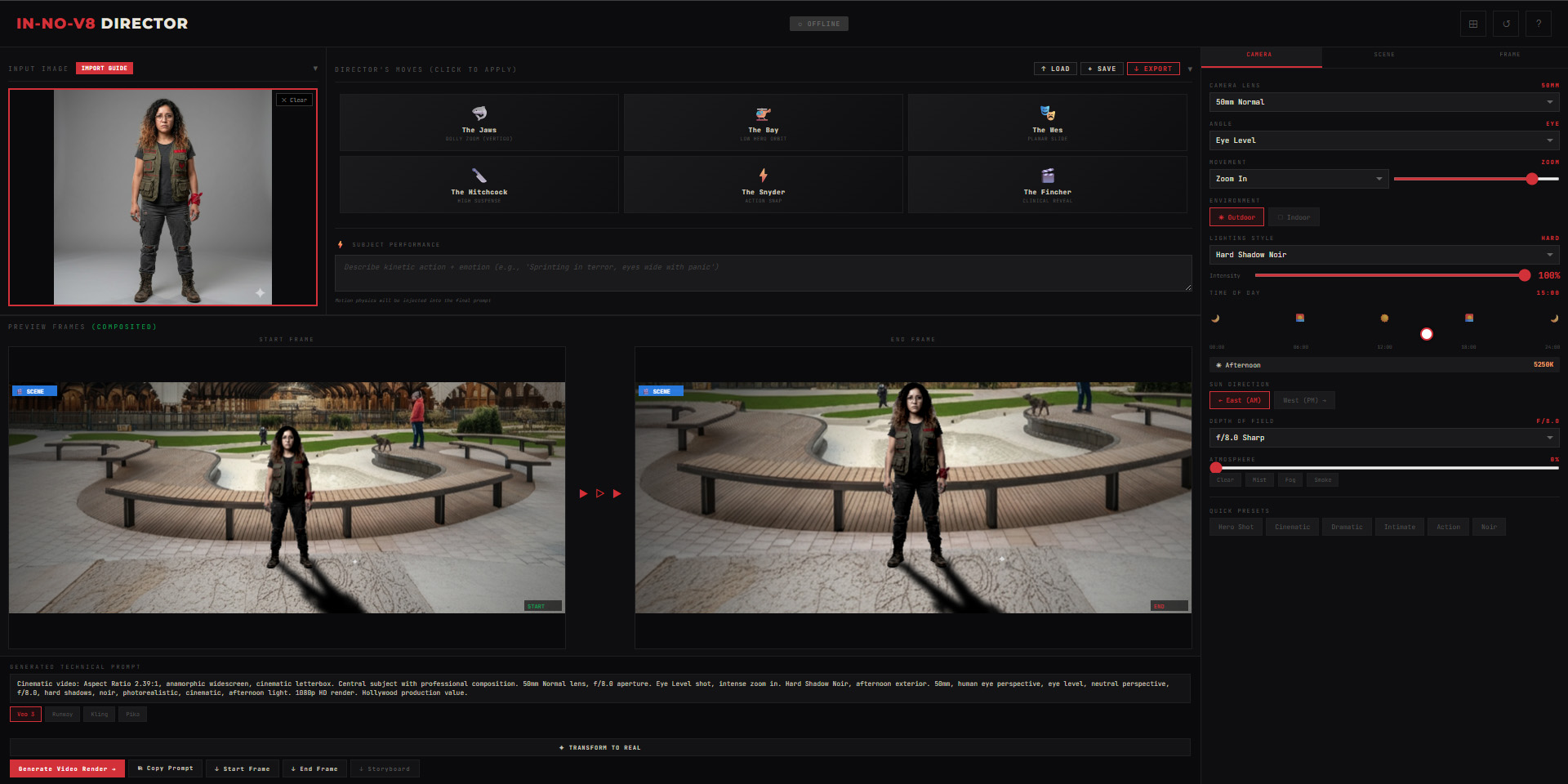
The Preview Frames show your Start and End composition in real-time. Review the movement, then copy the generated prompt or export individual frames and storyboards.
- Copy Prompt — Copies technical prompt to clipboard
- ↓ Start/End Frame — Downloads individual PNG frames
- ↓ Storyboard — Exports contact sheet with specs
- Generate Video Render → — Opens prompt in target AI
Storyboard & Render
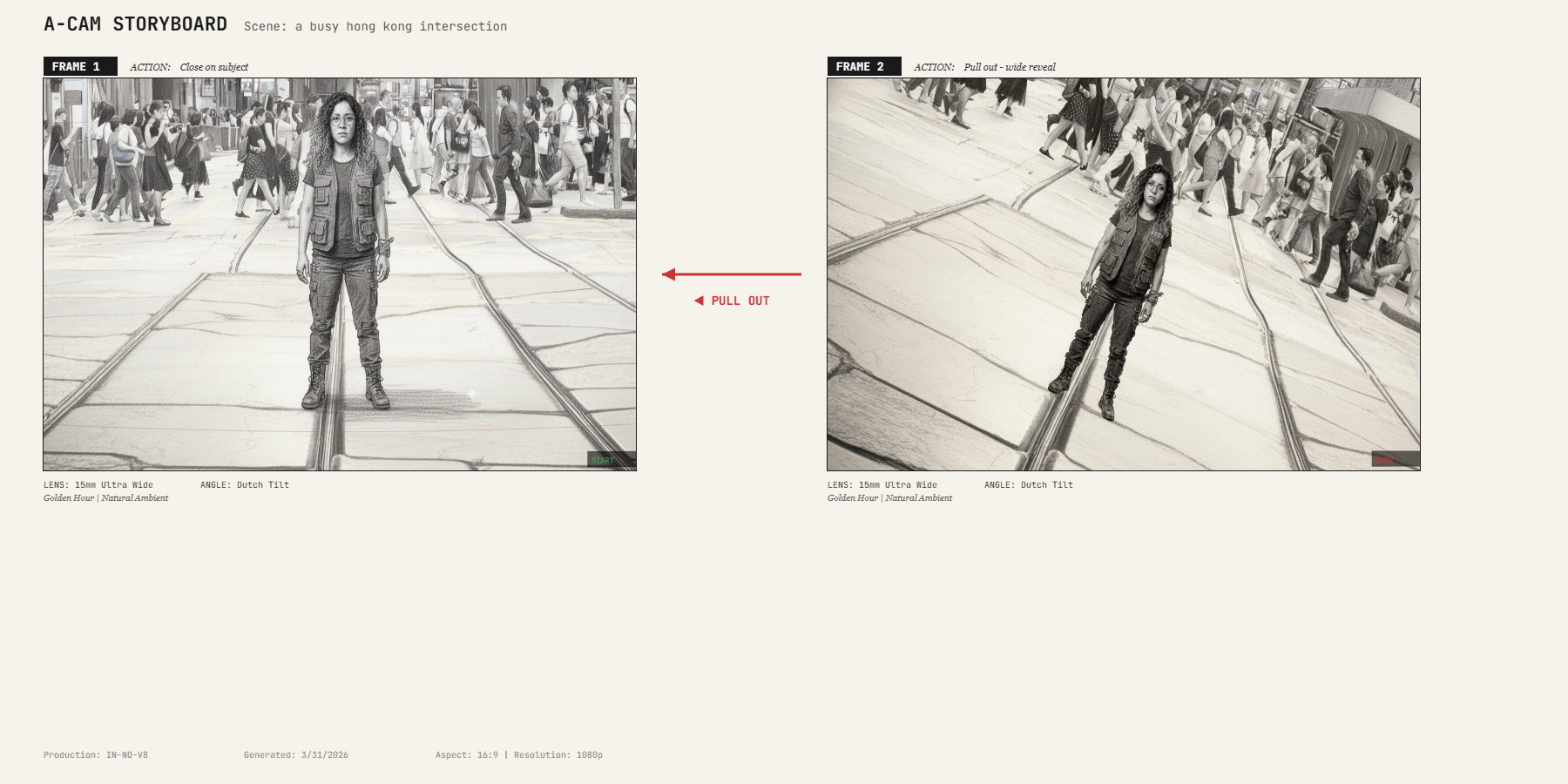
Export a professional storyboard contact sheet showing Frame 1 → Frame 2 with movement direction, technical specs, and scene description. Use this as reference or share with collaborators.
- Frame Comparison — Side-by-side Start and End frames
- Movement Arrow — Visual indicator of camera direction
- Technical Specs — Lens, angle, lighting, resolution
- Scene Description — AI-generated environment context
Generate Your Video
Copy your prompt into your preferred AI video platform. The technical cinematography description guides the AI to produce professional camera movements, lighting, and composition matching your A-CAM preview.
- Upload frames — Use Start/End frames as reference images
- Paste full prompt — Don't edit the technical language
- Match aspect ratio — Set output to same ratio as A-CAM
- Iterate — Re-render with adjusted prompts if needed